Updated November 19, 2026 · Cat Phones team
Power off, close every port cover and check the back cover is tight. Rinse or wipe with lukewarm water and mild soap, using a soft brush around buttons and grilles. For disinfecting, the S42 H+ and B40 sheets list soap, alcohol and bleach; the S22 Flip, S62 and S62 Pro also list bleach and sanitizers. Rinse off salt water with fresh water. Dry fully before charging. Never pressure wash a phone that is not rated IP69.
Why cleaning a rugged Cat phone is different
Cat phones are sealed against water and dust, so you can clean them more thoroughly than an ordinary phone. Bullitt designed several later models to be washed rather than wrapped in a case, on the reasoning that a case traps dirt and germs against the phone. The S62 product page called this approach Hygiene Plus and described phones that could be repeatedly submerged and scrubbed with hot water and soap.
The catch is that seals only work when they are intact and closed. A worn gasket, a lifted port flap or a loose battery-cover screw turns a waterproof phone into an ordinary one. That is why every cleaning routine starts with a check, not with water. If you want the background on the ratings themselves, our guide to IP68, IP69K and MIL-STD-810H explains what each one covers.
Which cleaning products each Cat phone can take
Only use chemicals the spec sheet or product page for your model mentions. The table below lists what our sources say; where a model is not listed, stick to mild soap and water.
| Model | What the official sources list | Antimicrobial finish |
|---|---|---|
| Cat S42 H+ | Soap and water, alcohol, bleach | Yes (silver ion-based) |
| Cat B40 | Soap and water, alcohol, bleach | Yes (silver ion-based) |
| Cat S22 Flip | Repeated bleach wipe test (3,000 cycles), pressurized alcohol abrasion tests, chemical mix exposure | Not listed |
| Cat S62 Pro | Soaps, hand sanitizers, antibacterial sprays, alcohol wipes, bleach | Not listed |
| Cat S62 | Hot water and soap, chemicals, bleaches and sanitizers (Hygiene Plus) | Not listed |
| Other Cat models | No cleaning chemicals listed in our sources | Not listed |
The S42 H+ and B40 were the hygiene-focused models of 2021. Their spec sheets list antibacterial protection, and GSMArena describes it as silver ion-based. That treatment helps slow the growth of bacteria on the surface between cleans; it does not replace cleaning, and it does not make the phone sterile.
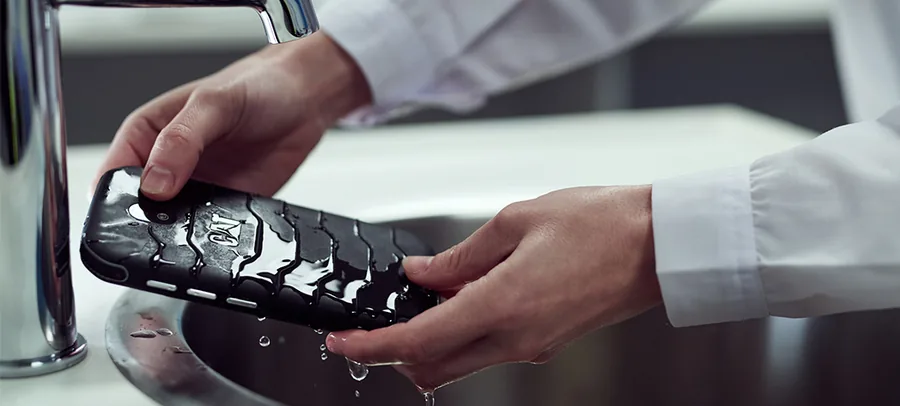
How to clean a Cat phone step by step
This routine works for everyday mud, dust, grease and germs on any Cat phone with an IP67 or IP68 rating. Use only the chemicals your model allows.
- Turn the phone off and unplug it. Never wash a phone while it is charging.
- Close every port cover and press it fully home. On models with a screw-down back cover, such as the S22 Flip, check the screw is snug.
- Brush off loose grit and dry mud with a soft brush before any water touches it. Grit dragged across glass is what causes scratches.
- Rinse under lukewarm running tap water, or wipe with a cloth dampened in water and a little mild dish soap. Avoid hot water unless your model's page lists it.
- Work a soft toothbrush around buttons, the speaker grille, the camera surround and the edges of port covers, where dirt collects.
- Rinse off the soap, then disinfect if your model allows it: wipe with alcohol or a diluted bleach solution, following the product label for contact time.
- Rinse again with fresh water so no chemical residue sits on rubber parts.
- Shake out water from the speaker and microphone openings, then dry the phone with a clean, lint-free cloth.
- Leave it to air dry with port covers still closed, then open the covers and let the ports dry before you charge.
Do not pressure wash a phone rated only IP67 or IP68; jets are a different test. Do not use abrasive pads, solvents or chemicals your model's sources do not list. Do not poke pins or blow compressed air into speaker or microphone openings, which can damage the membranes behind them.
Cleaning Cat phone port flaps, seals and the back cover
Seals are the part of a rugged phone that wears out first, and they decide whether the phone survives its next soaking. Older Cat models such as the Cat S60 use a hinged cover over the SIM and microSD slots that opens with a latch. Newer phones such as the S62 Pro list a waterproof USB-C port with no flap at all. Flip phones like the S22 Flip use a screw-down back cover with a rubber gasket around the edge.
- Open each cover only in a clean, dry place. Wipe the rubber lip and the matching groove with a lint-free cloth.
- Look for cuts, flattening, cracks or a cover that no longer sits flush. A damaged seal means the phone is no longer waterproof.
- Pick out grit with a soft brush, not a metal tool. Sand lodged in a seal is a common cause of leaks.
- On the S22 Flip, check the red gasket sits fully in its groove every time you close the back cover.
- After cleaning, close each cover and press around its full edge until it is seated.
Rinsing salt water and chemicals off a Cat phone
Salt is hard on any electronics. Several Cat spec sheets, including those for the S62 Pro, S62, S22 Flip and S52, list resistance to salt mist and humidity, but that is resistance to salty air, not permission to leave seawater drying on the phone. Salt crystals form in seams and around buttons, and over time they wear seals and corrode contacts.
- After any contact with seawater, keep the port covers closed.
- Rinse the phone under gentle fresh tap water for a minute, paying attention to seams, buttons and the speaker grille.
- Shake out the water, dry with a cloth and let it air dry before you open any cover.
- Do the same after fertilizer, cleaning chemicals, concrete slurry or anything else corrosive gets on it.
If the sound is muffled after the phone has been underwater, give the speaker and microphone time to dry. The S60 support pages note that sound returns to normal once they dry out, and that the S60 came with a Speaker Dry app to help. For water-heavy work, see the Cat thermal camera phones and our advice on choosing a Cat phone for models with the deepest water ratings.
Which Cat phones have a removable battery?
Most Cat smartphones use sealed batteries. That keeps them slim and well sealed but means you cannot swap in a fresh cell yourself. The S60 support pages state its battery is embedded and only accessible by authorized personnel, and the same applies to the other sealed models. Here is what our sources list.
| Model | Battery | Removable? |
|---|---|---|
| Cat S22 Flip | 2,000 mAh Li-Ion | Yes |
| Cat B26 | 1,500 mAh Li-Ion | Yes (per retail listing) |
| Cat B25 | 1,300 mAh Li-Ion | Yes |
| Cat B15Q | 2,000 mAh Li-Ion | Yes |
| Cat B100 | 1,150 mAh Li-Ion | Yes |
| Cat Q10 hotspot | 5,300 mAh Li-Ion | Yes |
| Cat S62 Pro, S62 | 4,000 mAh Li-Ion | No |
| Cat S42, S42 H+ | 4,200 mAh Li-Ion | No |
| Cat S61 / S60 | 4,500 / 3,800 mAh Li-Ion | No |
| Cat S52 / S48c / S41 | 3,100 / 4,000 / 5,000 mAh Li-Ion | No |
| Cat S31 / S30 / S40 | 4,000 / 3,000 / 3,000 mAh Li-Ion | No |
| Cat B35 / B30 / B15 | 2,300 / 1,000 / 2,000 mAh Li-Ion | No |
| Cat S75 / S53 | 5,000 / 5,500 mAh Li-Po | Not stated in our sources |
Note that many of the removable-battery phones are older 2G/3G models that no longer work on major US networks. The Cat S22 Flip is the main exception, and its swappable battery is one of the best reasons to choose it for long shifts. Spare batteries and chargers are listed on our Cat phone accessories page where still available.
Cat phone battery care that adds years of use
Since no new Cat phones are being made, the battery in the phone you have may need to last longer than planned. Lithium-ion cells wear with heat, deep discharge and time. These habits slow that down.
- Keep it out of the heat. A phone left on a dashboard or in direct sun ages its battery fastest. Cat sheets list thermal shock ranges, such as -22°F to 167°F for the S62 Pro, but those are survival tests, not good charging conditions.
- Charge at room temperature. Let a phone warm up or cool down before you plug it in after work in freezing or very hot conditions.
- Avoid running it flat. Top up during the day rather than waiting for 0%. The S60's LED flashes red below 15% as a reminder.
- Store it half charged. For a spare phone or a spare battery that will sit for months, store it about half charged and top it up every few months.
- Watch weak signal. The S60 support notes point out that in poor-signal areas the phone keeps searching for a network, which drains the battery. Wi-Fi calling helps on models that support it.
- Use the right charger. Use the charging method your model lists, such as Quick Charge 4.0 and Qi wireless on the S62, or pogo pins on the S22 Flip and S62.
Signs a Cat phone battery needs attention
A battery that drops quickly from a full charge, a phone that shuts down with charge still showing, or any swelling that lifts the back or screen all mean the battery is worn. Stop using a swollen battery straight away. On removable models, replace it with a compatible cell. On sealed models, an independent repair shop is now the only route, since Bullitt's repair service closed with the company; see what happened to Cat phones for the background.
Charging safely in hazardous areas
The Cat S62, S48c and S22 Flip carry Non-Incendive Class I, Division 2 ratings. Their spec sheets include a clear warning: do not charge, connect, use the USB or other ports, open covers or remove anything from the phone inside the hazardous area. Clean and charge these phones outside the classified zone, and only take them back in with every cover closed.
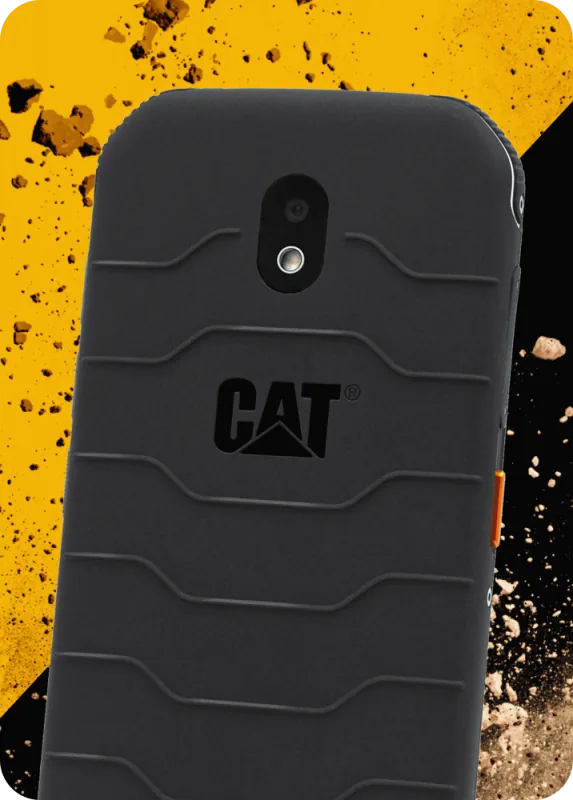
Cat S42 H+
- Display: 5.5" HD+ IPS
- Chipset: Helio A20
- Memory: 3GB / 32GB + microSD
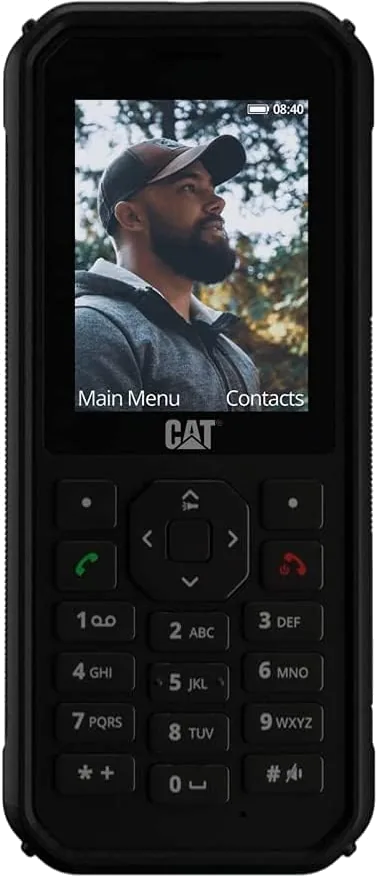
Cat B40
- Display: 2.4" QVGA
- Chipset: Unisoc T117
- Memory: microSD up to 32GB
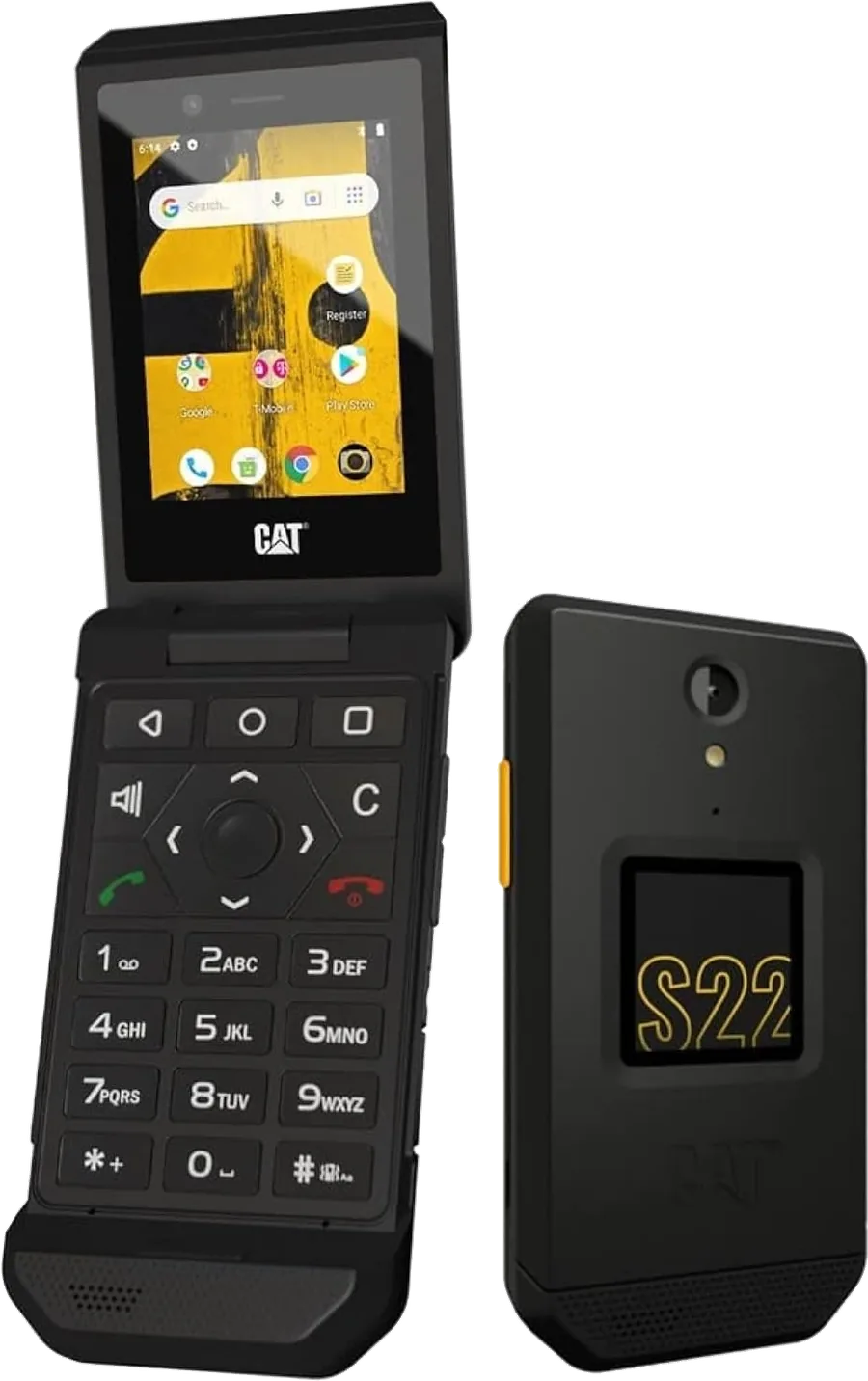
Cat S22 Flip
- Display: 2.8" 480 x 640 touch + 1.44" outer
- Chipset: Snapdragon 215
- Memory: 2GB / 16GB + microSD
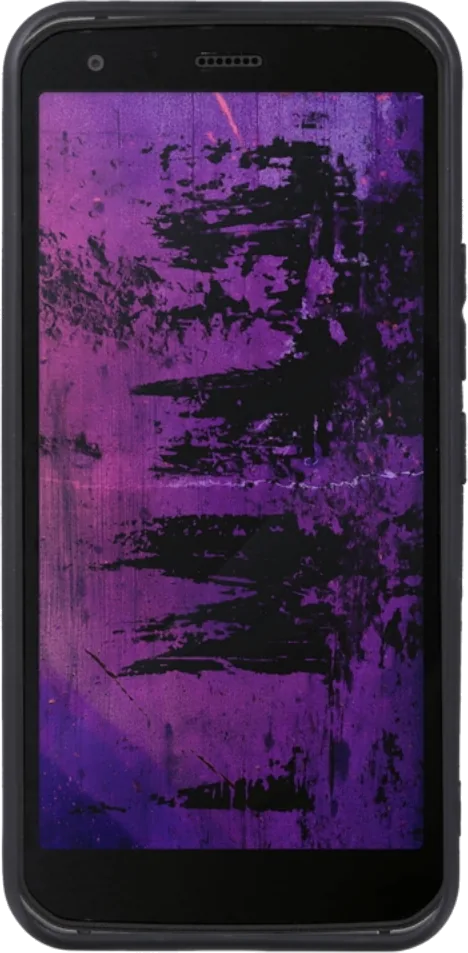
Cat S62 Pro
- Display: 5.7" FHD+
- Chipset: Snapdragon 660
- Memory: 6GB / 128GB
Cat phone cleaning and battery care FAQ
Can I clean my Cat phone with bleach?
Only if your model's sources list it. The S42 H+ and B40 spec sheets list bleach, the S22 Flip was tested with repeated bleach wipes, and the S62 and S62 Pro pages mention bleach and sanitizers. For other models, use mild soap and water. Always rinse bleach off afterwards.
Can I wash my Cat phone under the tap?
Yes for IP67 and IP68 Cat phones, as long as every port cover is closed and the back cover is tight. Use gentle, lukewarm running water rather than a jet, then dry the phone and let the ports dry before charging.
Can I pressure wash a Cat phone?
Only models listing IP69 or IP69K were tested against high-pressure water jets, such as the S62 Pro, S62, S42, S42 H+, S53 and B40. Even then, close every cover and do not aim the jet straight at openings. Never pressure wash an IP67 or IP68-only phone.
What should I do after my Cat phone goes in the sea?
Keep the covers closed and rinse the phone under fresh tap water for about a minute, focusing on seams and buttons. Shake out the water, dry it with a cloth and let it air dry before opening any cover or charging. Salt left to dry wears seals and corrodes contacts.
Does the Cat S62 Pro have a removable battery?
No. The official spec sheet lists a 4,000 mAh non-removable lithium-ion battery. If you need to swap batteries during long shifts, the S22 Flip is the main Cat phone with a removable battery that still works on US networks. For sealed models, carry a power bank.
What is the antimicrobial coating on the Cat S42 H+?
The official spec sheet lists antibacterial protection, and GSMArena describes it as silver ion-based. It is built into the surface to help limit bacteria growth between cleans. It does not replace regular cleaning with soap, alcohol or bleach, which the sheet also lists as safe.
Cat Phones is reader-supported: when you buy through an Amazon link on this page we may earn a commission, at no extra cost to you. Amazon prices and availability change often. Affiliate disclosure.